


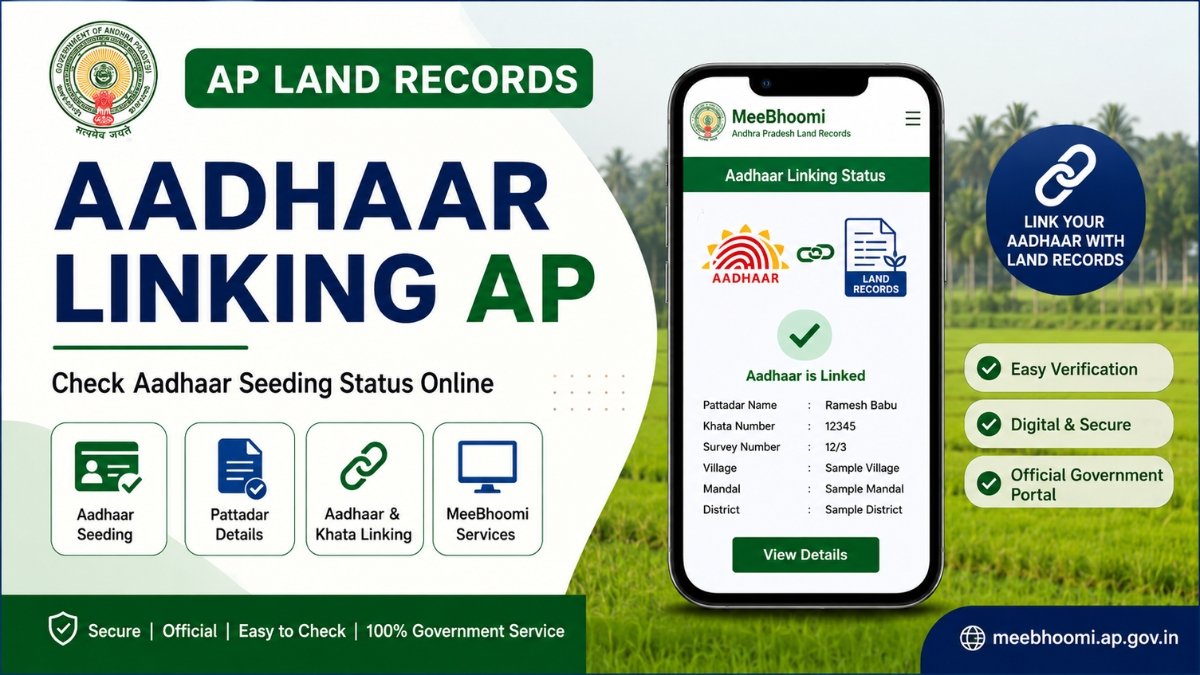
Aadhaar Linking AP – Check Aadhaar Seeding Status Online
Aadhaar Linking AP is a land-record related service that helps associate a Pattadar’s Aadhaar information with the applicable land records maintained in the Andhra Pradesh Revenue system.
For landowners, Aadhaar seeding can be useful when accessing certain digital Revenue services and checking whether Aadhaar-related information is associated with the relevant land record. The Andhra Pradesh government service ecosystem includes services related to Pattadar Aadhaar/mobile number seeding, while official district information states that landowners can check whether their Aadhaar number and Khata number are linked through MeeBhoomi.
It is important to understand that Aadhaar linking is not the same as mutation or legal ownership verification. Linking Aadhaar to a land record does not by itself transfer ownership or create legal title.
This page explains Aadhaar Linking AP, Pattadar Aadhaar Seeding, Aadhaar and Khata linking, how to check linking status, land-record Aadhaar services, common problems, important precautions and official resources.
What Is Aadhaar Linking in AP Land Records?
Aadhaar linking, also known as Pattadar Aadhaar Seeding, refers to associating Aadhaar information with the applicable Pattadar or land-record details.
The Andhra Pradesh government service documentation lists Pattadar mobile number seeding in Land Records and Mobile Number & Pattadar Aadhaar Seeding among Revenue services.
The exact service and process can depend on the applicant’s land record and the current government service configuration.
Why Is Aadhaar Seeding Important?
Aadhaar seeding can help connect identity information with the applicable land record.
Depending on the service, it may support:
- Pattadar identification
- Digital Revenue services
- Land-record verification
- Certain passbook-related services
- Aadhaar-linked land-record status checking
- Other government workflows requiring record seeding
However, Aadhaar linking should not be represented as a replacement for mutation, registration or title verification.
How to Check Aadhaar Linking Status in AP
The official Tirupati District government website states that landowners can check through MeeBhoomi whether their Aadhaar numbers and Khata numbers are linked.
Step 1: Open MeeBhoomi
Go to the official Andhra Pradesh land-record portal.
Step 2: Select the Relevant Land-Record Service
Look for the applicable Aadhaar/land-record linking facility available in the current portal.
Step 3: Enter Land Details
Keep the relevant details ready, such as:
- District
- Mandal
- Village
- Khata Number
- Survey Number
Step 4: Submit the Details
Enter the requested information and proceed according to the instructions displayed on the official portal.
Step 5: Check the Result
If the service provides Aadhaar-linking information for the selected record, review the status displayed.
Step 6: Take Action if Not Linked
If the record is not linked, check the applicable Pattadar Aadhaar-seeding service through the authorised government service channel.
Note: Government portals and interfaces can change. The exact menu names and fields available on MeeBhoomi may differ from older instructions.
Check Aadhaar Linking Status on Official MeeBhoomi
Visit the official Andhra Pradesh MeeBhoomi portal to check available land-record and Aadhaar linking services.
🔗 Check on Official MeeBhoomiThis button opens the official Government of Andhra Pradesh land-record portal.
Aadhaar and Khata Number Linking
A Khata Number is associated with the relevant land/revenue record.
Official Andhra Pradesh district information specifically states that landowners can check whether their Aadhaar numbers and Khata numbers are linked through MeeBhoomi.
If the linking status is not as expected, first verify:
- Pattadar name
- Khata Number
- Survey Number
- Village
- Mandal
- District
A mismatch in the underlying land record may need to be addressed before the Aadhaar-related issue can be resolved.
Pattadar Aadhaar Seeding AP
Pattadar Aadhaar Seeding is the more specific government-service terminology used for Aadhaar-related land-record linking.
The AP government service ecosystem includes Mobile Number & Pattadar Aadhaar Seeding as a Revenue service.
This means users should distinguish between:
- Aadhaar linking
- Mobile number seeding
- Pattadar Aadhaar seeding
- Land-record correction
- Mutation
These are not necessarily the same service.
Aadhaar Linking and Mobile Number Seeding
Mobile-number seeding and Aadhaar seeding can be related but are separate concepts.
The official AP CSP documentation lists Pattadar mobile number seeding in Land Records as a separate service.
Therefore, having a mobile number recorded against a land record does not necessarily mean that Aadhaar has also been linked.
Always check the specific status required.
Aadhaar Linking by Land Record Details
Depending on the applicable government service, land-related identifiers may include:
- District
- Mandal
- Village
- Khata Number
- Survey Number
- Pattadar details
- LP Number, where applicable
Do not enter information on unofficial websites simply because they display a government-style form.
What Documents or Details Are Required?
Requirements can vary depending on the particular service.
You may need information such as:
- Aadhaar details
- Pattadar name
- Khata Number
- Survey Number
- District
- Mandal
- Village
- Mobile Number
- LP Number, where applicable
The exact requirement should be confirmed through the current official service before applying.
Do not assume that one document list applies to every Aadhaar-seeding service.
Aadhaar Linking and E-Passbook
Aadhaar seeding can be relevant to certain E-Passbook-related services.
The AP government CSP manual states that the record used for the Printing of Title Deed Cum Passbook service should be available, digitally signed and Aadhaar-seeded.
Therefore, if you are trying to use a passbook-related service and Aadhaar seeding is required, check the relevant official process.
However:
Aadhaar Linking ≠ E-Passbook
They are separate land-record services.
Aadhaar Linking and ROR 1B
ROR 1B is a Record of Rights-related land record.
Aadhaar linking is an identity/record-seeding process.
If the name or land details in ROR 1B are incorrect, Aadhaar linking will not automatically correct them.
The applicable ROR 1B correction/rectification service may be required.
The AP government CSP documentation lists Rectifications in Record of Rights (ROR 1B) as a separate service.
Aadhaar Linking and Adangal
Adangal is a separate revenue record containing applicable land and cultivation-related information.
Aadhaar linking does not replace Adangal.
If there is a discrepancy between your Aadhaar-linked information and Adangal, examine the underlying Revenue records rather than assuming that Aadhaar seeding will correct the Adangal.
Related service: Adangal AP
Aadhaar Linking and Mutation
Mutation and Aadhaar linking have different purposes.
Aadhaar Linking
Associates Aadhaar information with the applicable land/Pattadar record.
Mutation
Updates applicable Revenue records after a recognised transaction or change.
For example:
- Sale
- Inheritance
- Partition
- Court order
- Other eligible transfer
If you recently purchased or inherited land, check the applicable mutation/record-update process first.
Aadhaar Linking and Land Ownership
Aadhaar linking does not establish legal ownership by itself.
For ownership or title verification, users may need to examine:
- Registered Sale Deed
- Link Documents
- ROR 1B
- Adangal
- Mutation
- E-Passbook
- Survey Records
- FMB
- Village Map
- Other applicable records
For a major property purchase, obtain appropriate title verification.
What If Aadhaar Is Not Linked?
If your land record shows that Aadhaar is not linked:
Check Your Land Details
Verify:
- Name
- Khata Number
- Survey Number
- Village
- Mandal
Check the Appropriate Service
Look for the applicable Pattadar Aadhaar/mobile seeding service.
Submit the Request
Use an authorised government service channel.
Check Again
After processing, verify the status through the official facility where available.
What If Aadhaar Linking Is Not Showing?
There can be several possible reasons.
Name Mismatch
The name in Aadhaar and the Revenue record may differ.
Incorrect Land Details
The submitted Khata, Survey Number or village information may not match.
Mutation Pending
The underlying ownership/Revenue record may not have been updated.
Record Correction Required
The Revenue record itself may contain incorrect information.
Aadhaar Already Seeded
The Aadhaar may already be associated with the relevant record.
If the issue continues, contact the concerned Revenue/service authority.
What If Aadhaar and Pattadar Name Are Different?
Do not assume that Aadhaar seeding will automatically change the Pattadar name.
First determine why the names differ.
Possible reasons include:
- Spelling difference
- Name change
- Old land record
- Mutation pending
- Data-entry error
- Different supporting documents
If the Revenue record itself needs correction, use the applicable correction process.
Aadhaar Linking After Land Purchase
If you recently purchased land, Aadhaar linking should not be treated as the first or only step.
A safer verification sequence is:
Registered Transaction
↓
Mutation / Revenue Record Update
↓
ROR / Adangal Verification
↓
Pattadar Details
↓
Aadhaar Seeding
The exact sequence may depend on the transaction and applicable government workflow.
Aadhaar Linking After Inheritance
For inherited property, first ensure that the applicable inheritance and Revenue-record procedures have been completed.
Depending on the circumstances, this may involve mutation or record updating.
Once the relevant Revenue record reflects the eligible Pattadar details, follow the applicable Aadhaar-seeding process.
Aadhaar Linking for Joint Land
If land is recorded in the names of multiple Pattadars, do not assume that linking one person’s Aadhaar automatically links all co-pattadars.
Check the current Revenue record and applicable service for each recorded Pattadar.
How to Correct Aadhaar-Related Land Record Issues
If you discover an issue:
1. Identify the Problem
Determine whether it is:
- Aadhaar mismatch
- Name mismatch
- Khata mismatch
- Survey mismatch
- Mutation issue
- ROR issue
- Mobile-number issue
2. Check Supporting Records
Compare:
- Aadhaar
- ROR 1B
- Adangal
- Mutation
- E-Passbook
- Registered documents
3. Select the Correct Government Service
Use the applicable correction/seeding service.
4. Keep the Acknowledgement
Save your application/reference number for future status enquiries.
Aadhaar Linking and Land Disputes
Aadhaar linking does not resolve:
- Ownership disputes
- Boundary disputes
- Inheritance disputes
- Survey disputes
- Encroachment disputes
- Title disputes
The appropriate Revenue, Survey or legal process depends on the nature of the dispute.
The AP Survey & Land Records Department handles survey-record maintenance, private-land boundary demarcation and subdivision-related work through the prescribed procedures.
Aadhaar Privacy and Security
Your Aadhaar information is sensitive. 🔐
When using land-record services:
- Use official government portals.
- Verify the website domain.
- Never share OTP with unknown persons.
- Do not send Aadhaar details to random WhatsApp numbers.
- Avoid unofficial Aadhaar-upload forms.
- Do not share biometric information unnecessarily.
- Keep application receipts.
- Use authorised service centres where required.
MeeBhoomiAP.org does not collect Aadhaar numbers or OTPs for Aadhaar linking.
Official AP Resources for Aadhaar Linking
MeeBhoomi AP
Official district government websites identify MeeBhoomi as Andhra Pradesh’s online land-record portal.
AP Revenue Services
The Andhra Pradesh government service ecosystem includes Revenue services related to Pattadar/mobile/Aadhaar seeding.
Survey & Land Records Department
The Survey & Land Records Department maintains land records including Village Maps and FMBs and handles prescribed survey-related services.
Frequently Asked Questions
How can I check Aadhaar linking status in AP?
Use the official MeeBhoomi land-record portal and the applicable Aadhaar/land-record facility. The Tirupati District government portal states that Aadhaar and Khata linking can be checked through MeeBhoomi.
What is Pattadar Aadhaar Seeding?
Pattadar Aadhaar Seeding is the process of associating Aadhaar information with the applicable Pattadar/land record through the relevant Revenue service.
Can I link Aadhaar with my land record?
An applicable Pattadar Aadhaar-seeding service is available within the AP Revenue service ecosystem. The exact process depends on the current service.
Is Aadhaar linking the same as mutation?
No. Aadhaar linking associates identity information with the record, while mutation updates applicable Revenue records after a recognised transaction or change.
Does Aadhaar linking prove land ownership?
No. Aadhaar linking alone does not establish legal title or ownership.
Can Aadhaar linking correct my Pattadar name?
Not necessarily. If the underlying Revenue record contains an incorrect name, the appropriate correction or mutation process may be required.
Can I check Aadhaar and Khata linking?
Yes. Official district government information states that landowners can check whether Aadhaar and Khata numbers are linked through MeeBhoomi.
What information should I keep ready?
Depending on the service, you may need District, Mandal, Village, Khata Number, Survey Number, Pattadar details and Aadhaar-related information.
What if my Aadhaar is not linked?
Check the applicable Pattadar Aadhaar/mobile-seeding service through the authorised government service channel.
What if my Aadhaar and Pattadar name do not match?
First identify whether the discrepancy is in Aadhaar or the Revenue record. If the Revenue record is incorrect, use the applicable correction process.
Can Aadhaar linking update ROR 1B?
Aadhaar linking and ROR 1B correction are separate processes. The AP government lists ROR 1B rectification separately.
Can Aadhaar linking update Adangal?
Aadhaar seeding does not automatically replace or correct Adangal. If Adangal contains an error, follow the applicable Revenue correction procedure.
Is Aadhaar linking required for E-Passbook?
Aadhaar seeding is relevant to certain E-Passbook/Title Deed Cum Passbook workflows. The official CSP manual specifies Aadhaar-seeded records for the applicable printing service.
Can I link Aadhaar after buying land?
First check the applicable mutation and Revenue-record update requirements. Then follow the applicable Aadhaar-seeding process.
Can joint Pattadars link Aadhaar?
The process depends on the Revenue record and service. Verify each recorded Pattadar’s information separately where applicable.
Can Aadhaar linking solve a land dispute?
No. Aadhaar linking does not resolve title, boundary, inheritance or other legal disputes.
Is MeeBhoomiAP.org the official MeeBhoomi website?
No. MeeBhoomiAP.org is an independent informational website. The official MeeBhoomi portal is meebhoomi.ap.gov.in.
Where should I verify Aadhaar linking information?
Verify it through the official MeeBhoomi/AP Revenue service system or the appropriate authorised government service centre.
Official Sources
MeeBhoomi AP
MeeBhoomi AP – Official Land Records Portal
Official AP district government pages identify MeeBhoomi as the online land-record portal and state that Aadhaar/Khata linking can be checked there.
AP Government CSP User Manual
AP Government CSP User Manual – Revenue Services
AP Revenue Services
AP Survey & Land Records
Settlement, Survey & Land Records – Government of Andhra Pradesh
Disclaimer
This page is provided for general informational and educational purposes only.
MeeBhoomiAP.org is an independent informational website and is not affiliated with, endorsed by, or operated by the Government of Andhra Pradesh, MeeBhoomi, MeeSeva, NIC, UIDAI, the Revenue Department or the Survey, Settlements & Land Records Department.
Government services, procedures, eligibility requirements, fees, processing times and portal interfaces may change. Always verify the latest information through the relevant official government portal or authorised government service centre.
Aadhaar linking does not by itself establish legal ownership or title to land. For property purchases, inheritance, title verification, boundary disputes or other legal matters, consult the relevant government authority and, where necessary, a qualified legal professional.